


FLIPSTYLEZLLC
NFC chip sticker Ntag213 electronic tag iso shortcut command Touch sensor connect WIFI play music 213 tag sticker
NFC chip sticker Ntag213 electronic tag iso shortcut command Touch sensor connect WIFI play music 213 tag sticker
Couldn't load pickup availability
SPECIFICATIONS
Brand Name: NONE
Choice: yes
High-concerned chemical: none
Origin: Mainland China
For the record, if your smart device does not have NFC functionality, you will not be able to use this product!!!!
Quick Read:
[1] Product Information
Product Name: NFC Chip Sticker
Operating temperature: -20 to 55 degrees Celsius, 90 degrees humidity
Storage capacity ≈ 144 bytes
Erasable times: 100000+ times
Data storage time: >10 years
Chip diameter: 25mm/0.984in
Main uses: storage information, product labeling, music wall configuration, wifi password configuration sign, etc. ...
2】Use instructions
1: You need to download the software that can support the recognition and writing nfc function.
(Specific software you can go to your home country Internet search)
2: open the software, according to the prompts to select the content you need to write
(e.g. text, URL, phone, business card, bluetooth, wifi, application configuration, data and other information...)
3: Take out an NFC chip from the organizer.
4: Touch your smart device's NFC identification area with the chip.
(Please touch the NFC identification area of your smart device accurately, if you touch it incorrectly, it will cause recognition failure.)
5:After the chip is successfully recognized, write the content you need.
(Note that if you move during the process of writing content, it will lead to writing failure.)
6:Write the successful chip to tear off the back of the sticker, stick to your desired location
3】Cautions
You must ensure that your smart device supports NFC identification
You must ensure that your own Internet can write NFC function of the software
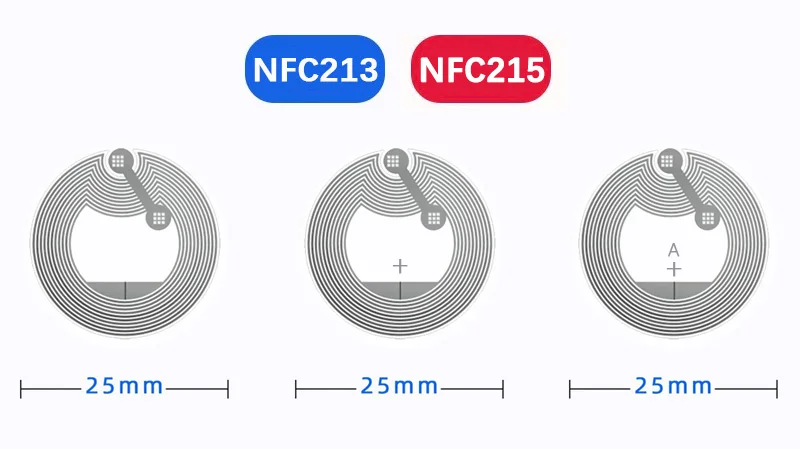
The above product style are NFC213, please rest assured that the use of



