


FLIPSTYLEZLLC
EURANNIT E19 12.7mm Portable Printer Handheld Thermal Inkjet Printer Portable Expire Date Counter QR Barcode Logo Coding Machine
EURANNIT E19 12.7mm Portable Printer Handheld Thermal Inkjet Printer Portable Expire Date Counter QR Barcode Logo Coding Machine
Couldn't load pickup availability
SPECIFICATIONS
Applicable industries: hotels, Garment Shops, Building Material Shops, Manufacturing Plant,Ma
Automatic Grade: Semi-automatic
Battery Included: Yes
Brand Name: EURANNIT
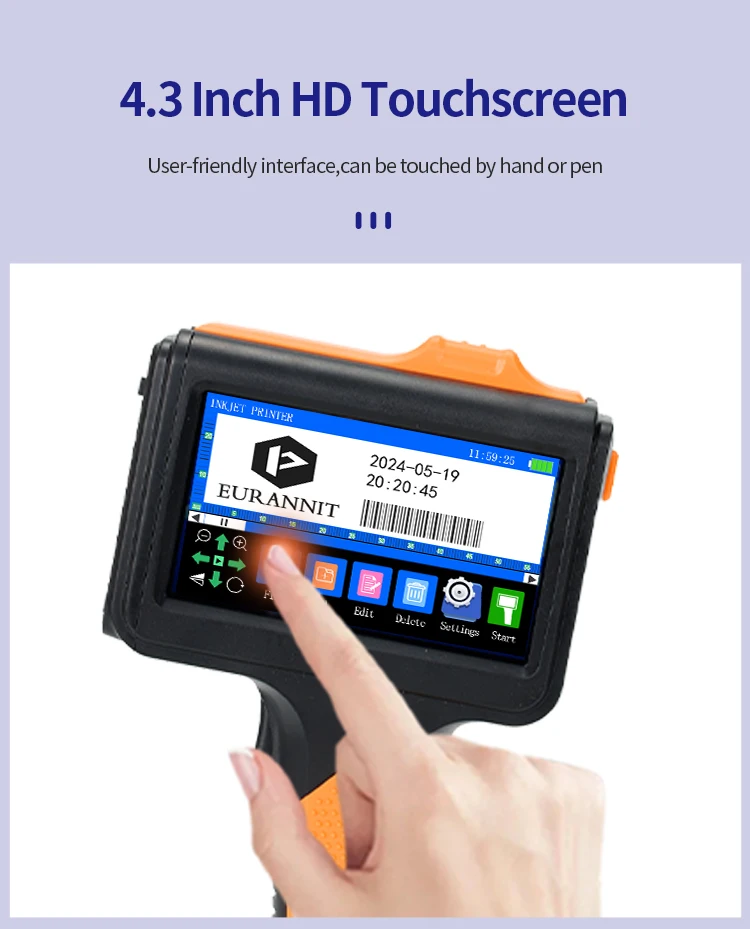
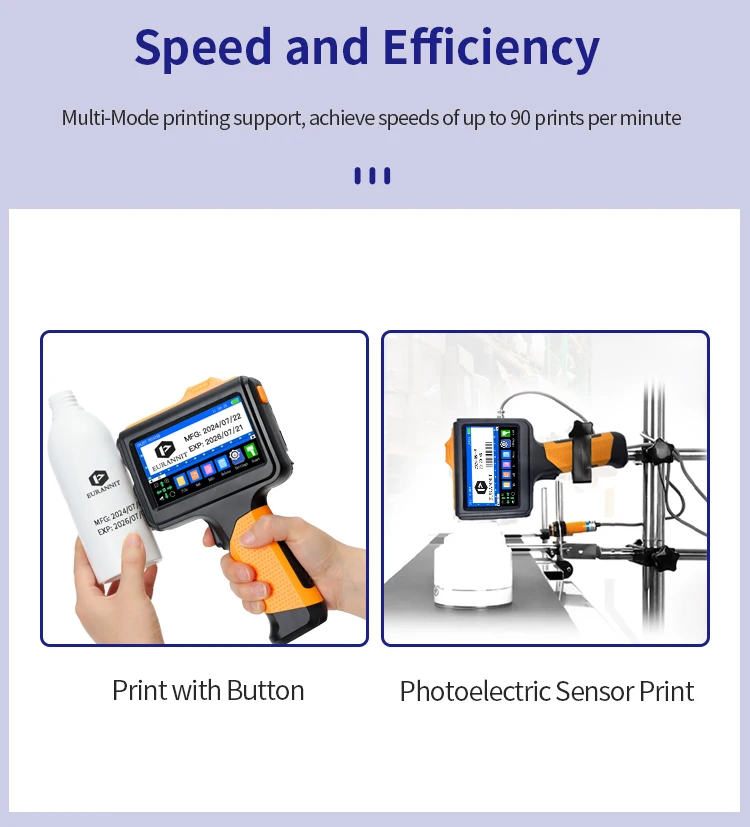
Control Method: Push button,Touch
Double-sided Printing: No
High-concerned chemical: none
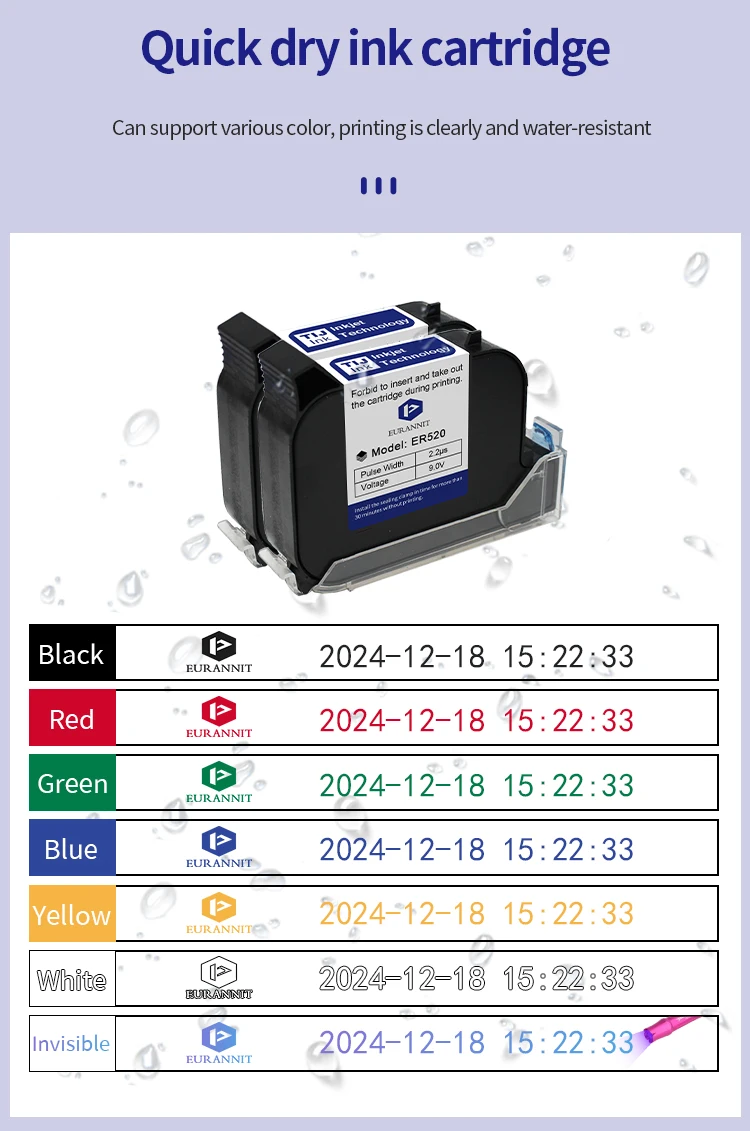
Ink Type: Fast Dry Ink
Ink cartridge capacity: 42ml
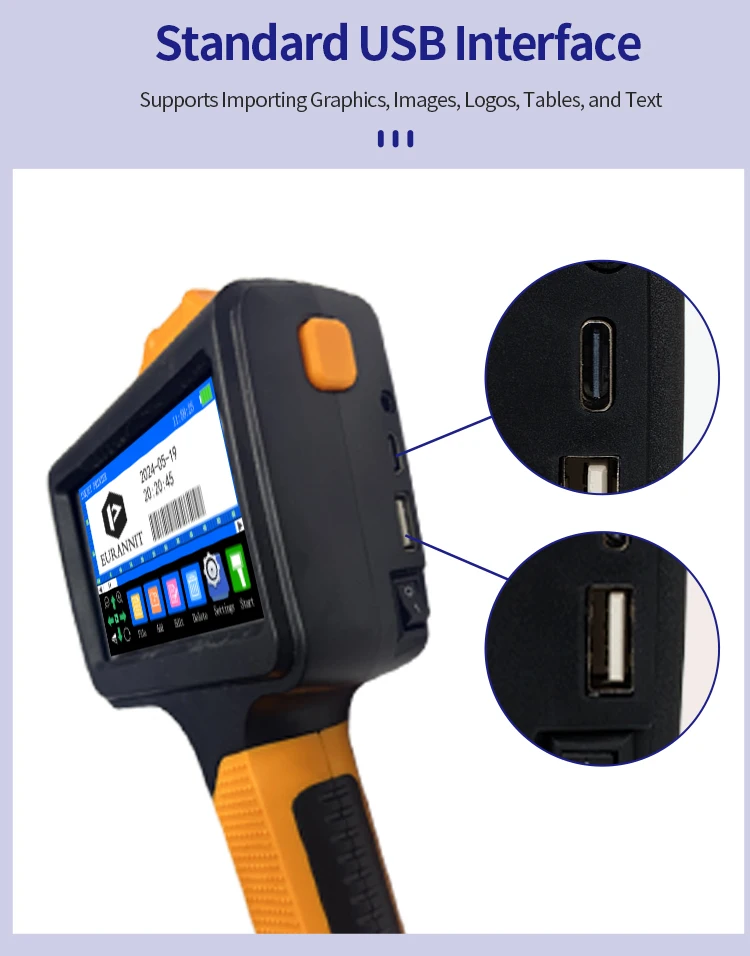
Interface Type: USB
Max Paper Size: A4
Origin: Mainland China
Paper Feed Mode: Auto
Place of Origin: Hubei, China
Plate Type: Handheld printer
Print Height: 2-12.7MM
Print Speed: 40ppm
Printer Color: single color
Product name: E19 Handheld Inkjet Printer
Signal Connection Type: none
Supports Network Printing: No
Type: Inkjet Printer
Use: Inkjet Printer
Voltage: 100-240V
weight: 840g
Product Description:
Product Name: Handheld Inkjet printer
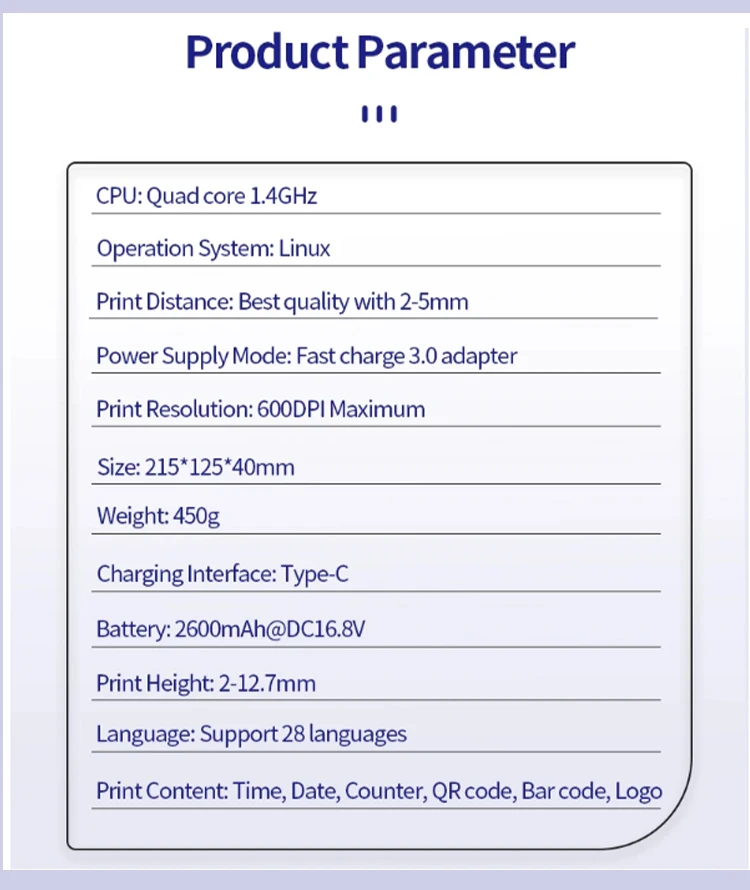
Print Head: Thermal Injet 2.5
CPU: Quad Core 1.4GHz
Operation System: Linux
Print Distance: 2-5mm
Interface: USB, Type-C
Print Resolution: 600dpi Maximum
Weight: GW 0.45kg
Dimension: 215*125*40mm
Battery: 2600mAh, 16.8V
Material of Printer: ABS+PC
Print Height: 2-12.7mm
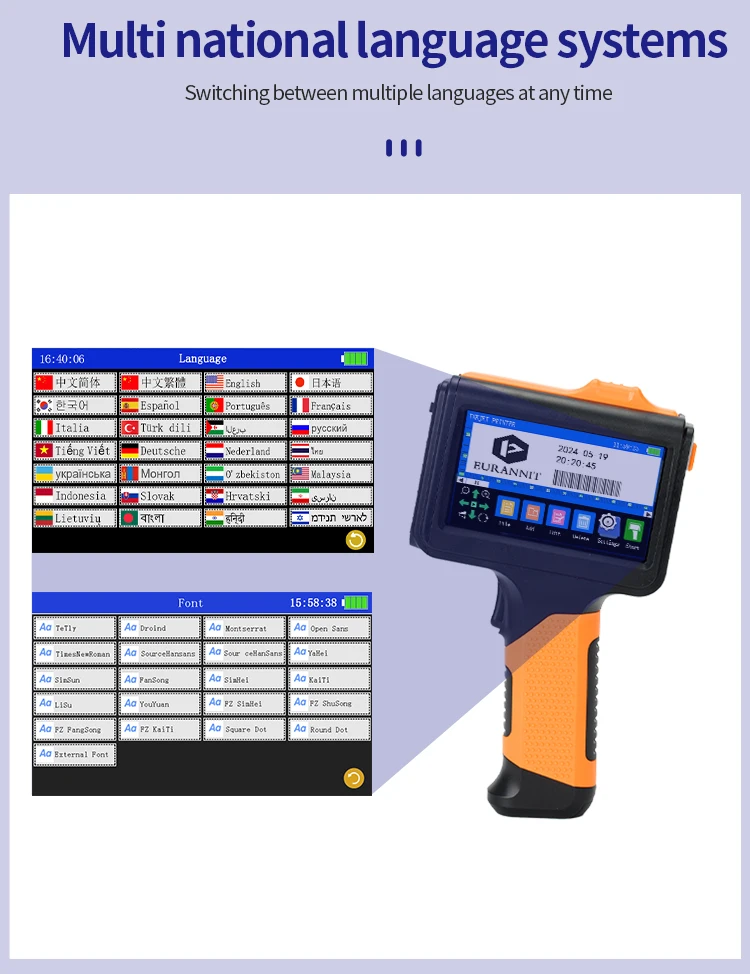
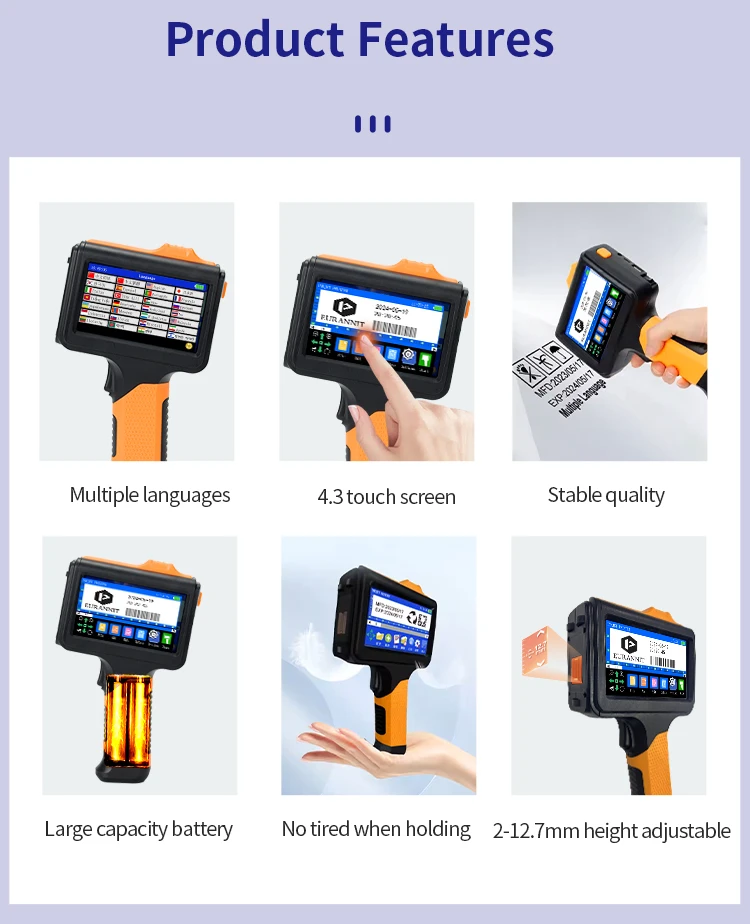
System Language: 28 Languages
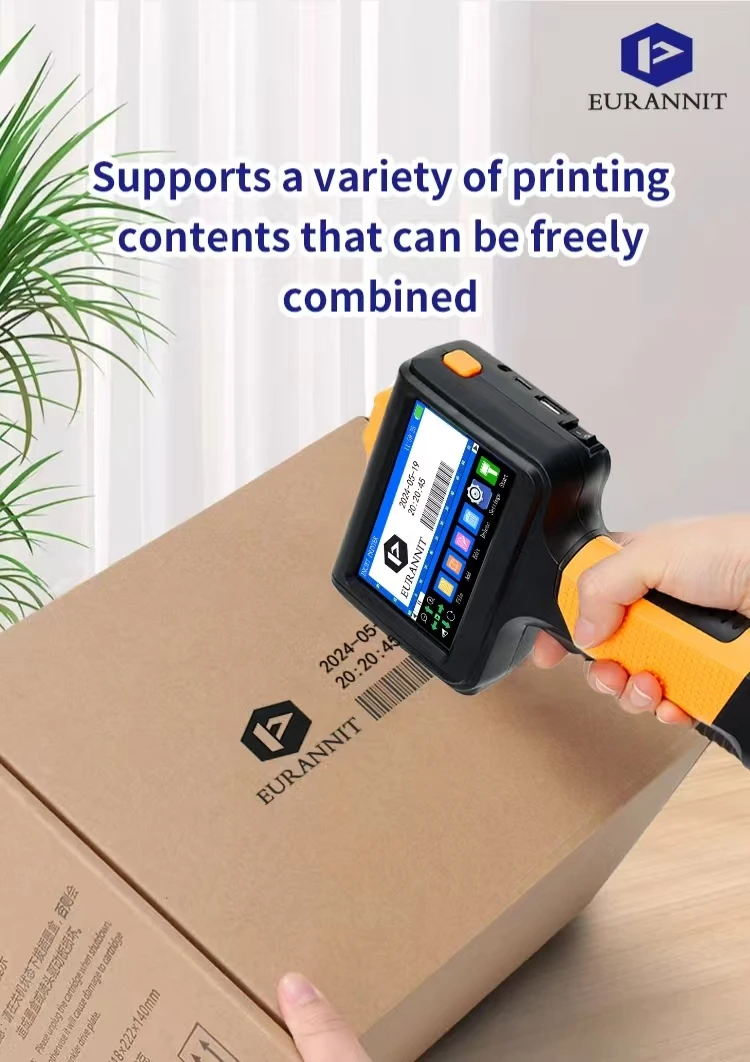
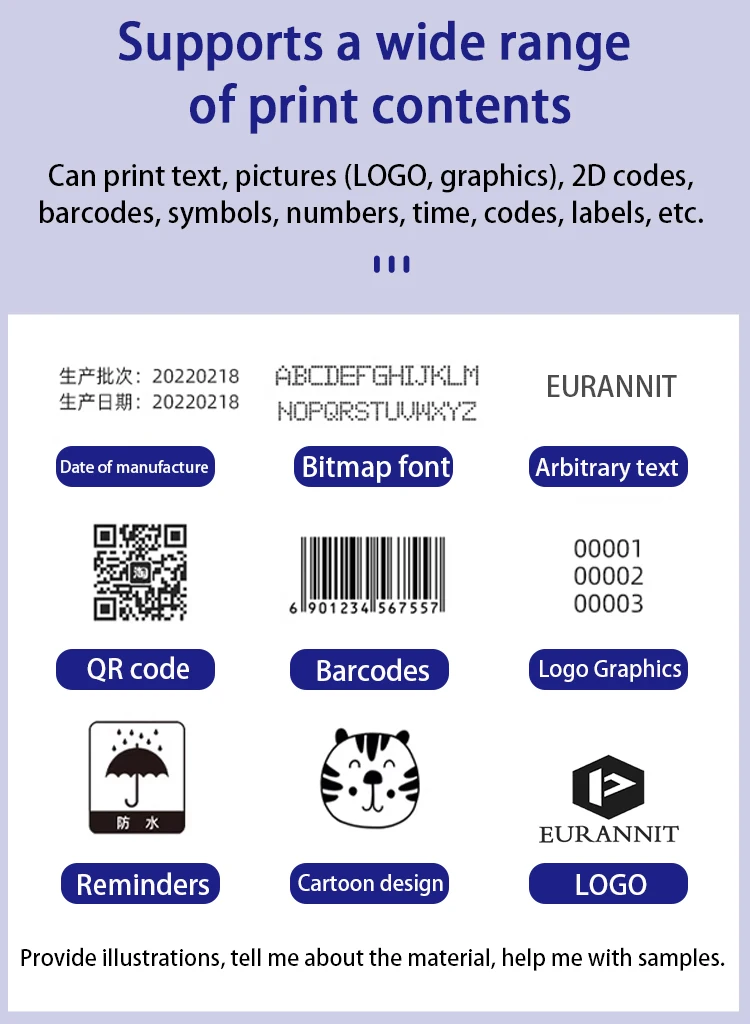
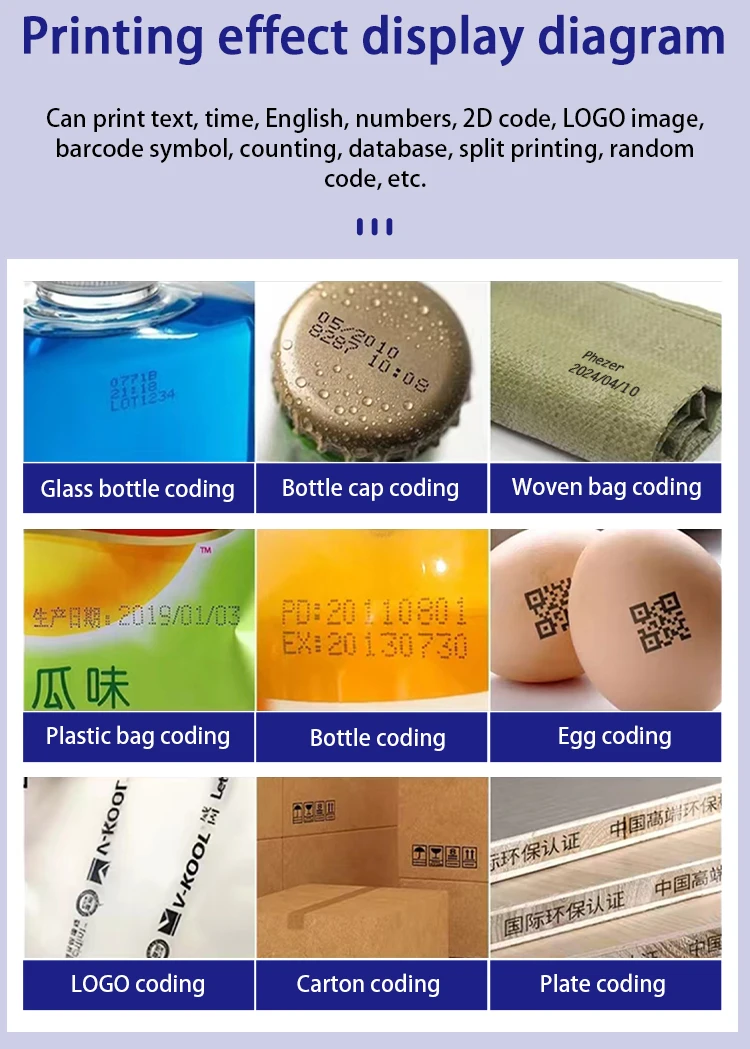
Print Content: Time, Date, Counter, QR code, Barcode, Logo, etc.
Printing Material: Wood, Carton, Pipe, Cable, Metal, Plastic, Uneven surface, etc.
Product Advantage:
1. The body has smooth lines, bright orange color, and the handle is ergonomic, so you won't feel tired holding it for a long time.
2. It uses the world's leading cortex-A9 quad-core CPU, 360-degree all-round printing, no dead angle.
3 High-resolution printing. Built-in SD card, permanent information storage. Dual nozzle design (DSND).
4. When the print quality decreases, you can manually switch to another nozzle.
5. Easy to operate, guaranteed to learn and master in 30 minutes. Closed ink tank structure, dust-proof protection chip and ejector.
6. Super long battery life, 10 hours of ultra-long standby time.
7. Built-in print head self-test, code reading, and cleaning functions. Handheld coding accessories are all available.
NOTE:
The price of orders shipped from China does not include import taxes. DDU!!!
HS CODE 8443321300 to check duty.
We only charge product price and freight cost, so you need pay import taxes to custom when your parcel arrives.

Q&A(Questions You Concern Most)
1.How to better extend the life of the printer?
A:Before installing and removing ink cartridges, be sure to turn off the printer.
2.How to better protect the ink cartridge nozzle?
A:
①When not using ink cartridges, please close the protective cover in time.
②Dip a soft paper towel with a small amount of alcohol before using, and then gently wipe the nozzle in one direction.
3.Why does the printer screen not work?
A: When you find that the screen of the printer is not working, please calibrate the screen of the printer.
4.Can the printer be equipped with photoelectric sensors?
A: Yes, our inkjet printer has adapted photoelectric sensors. Please consult customer service before purchasing.
5.Can the printer print on the bottle?
A: Yes, we will provide you with a positioning plate for free. Please consult customer service for specific steps.
6. What should I do if the printer cannot print?
A:
①Check whether the rubber ring on the left side of the printer is off (not in the groove).
②Check if there the ink cartridge is installed properly.
③Switch the nozzle of the printer in the settings.
④After turning off the printer, reinstall the ink cartridge.
⑤If you have completed all the above operations and the machine still cannot operate normally, please contact customer service in time.
7.The printer can work, but the printing effect is not clear, what should I do?
A:
①Check whether the ink cartridge nozzle is clean and dry, and wipe the nozzle carefully with a clean soft tissue.
②Take out the ink cartridge when the printer is off, shake the cartridge several times, and stick a clean tissue on the
surface of the nozzle to divert the ink.(Ask customer service for operation videos)
③Switch the nozzle of the printer in the settings.
④If you have completed all the above operations and the machine still cannot operate normally, please contact customer service in time.
8.What should I do when there is a printer phenomenon of wire drawing?
A:
①The ink cartridge is quick-drying. When there is a phenomenon of wire drawing, please wipe the nozzle carefully with a clean soft tissue and switch the nozzle of the printer.
②When not using the ink cartridge, please install the cover in time
9.Can the printer be charged?
A: Yes.
①Please use our special charger to charge the printer.
②When the printer is stored for a long time and not in use, it is recommended to safely charge and discharge it every three months.


